How an Image to Video AI Generator Brings Still Photos to Life
@imagevideoaigeneratorstore
What Is an Image to Video AI Generator?
A still photograph captures a single moment. But what if that moment could move, breathe, and tell a short story? That is the promise of an image to video ai generator. These tools use machine learning to analyze a static image and synthesize a short video clip where objects shift, light changes, and the scene feels alive. The result is not just a slideshow or a pan-and-zoom effect; it is genuine motion that looks as though it was filmed.
For creators, marketers, and hobbyists, this technology opens a fast lane to producing short-form video content without a camera crew or animation skills. Instead of storyboarding from scratch, you start with a single frame you already like and let the model fill in the movement. The output is usually a few seconds long, but that is enough for social media posts, product previews, or ambient backgrounds.
How Motion Synthesis Works Under the Hood
Modern image-to-video generators rely on a type of neural network called a latent diffusion model. The model first compresses the input image into a lower-dimensional representation, then gradually adds and removes noise while conditioning on cues that describe how the scene should evolve. This process is known as motion synthesis. The model learns from thousands of video clips what plausible movement looks like for different subjects: a flag rippling, a person turning their head, water flowing over rocks. It generalizes from those examples to animate your image.
A critical challenge is temporal coherence. Each frame in the output must feel like it belongs to the same continuous moment. If a character's shirt changes color between frames or a branch jumps position, the video looks broken. To avoid that, the model uses techniques such as video frame interpolation and consistency layers that track key features across the timeline. The best tools also let you guide the motion by drawing a simple path or selecting a region to animate, which is helpful when you want a specific effect like a flower opening or a car driving along a road.
Subject Consistency and Identity
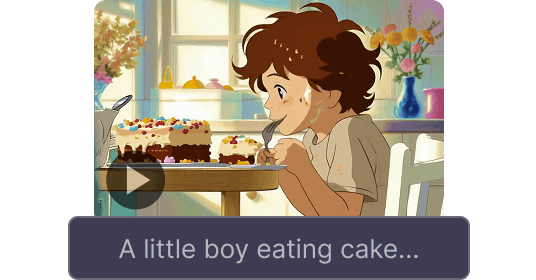
One of the hardest problems in this field is keeping the subject's identity intact. When you animate a portrait, the person's face should remain recognizable from start to finish. Early tools often warped facial features or made expressions flicker. Newer approaches use identity-preserving techniques that lock onto facial landmarks, skin texture, and hair shape. The same principle applies to products or logos: a brand needs its colors and proportions to stay stable. Good generators now include a subject consistency check that re-maps the generated frames back to the original image at key points, reducing drift.
Practical Workflow with an Image to Video AI Generator
Using one of these tools usually follows a straightforward pipeline. You upload a high-resolution image, select a style or motion type, and optionally add a text prompt to describe what should happen. The model processes the request and outputs a short video clip. Some platforms let you adjust the motion strength, the number of frames, and the audio track. Because the computation is heavy, generation can take anywhere from a few seconds to a couple of minutes depending on your hardware and the service.
When you are evaluating a generator, pay attention to the quality of the motion. Does water flow naturally or does it flicker? Do people's eyes move in a way that looks alive rather than glitchy? The best results come from images that already have some depth and lighting variation. Flat, uniformly lit images give the model less information to work with, so the output may look muddy. A clear subject against a simple background usually works best.
Adding Cinematic Audio
Video without sound feels incomplete. Many image-to-video ai generator services now include an automatic audio layer that matches the mood of the scene. This is not just a random music loop; the system analyzes the colors, motion speed, and subject matter to pick or generate a soundtrack that fits. For example, a slow-motion clip of a sunset might get ambient guitar, while a fast urban scene might get a rhythmic beat. You can often replace the audio with your own file afterward, but the auto-generated option saves a step in rapid prototyping.

Short-Form Video and Social Media
The most common use case for these tools is short-form video content for platforms like Instagram Reels, TikTok, and YouTube Shorts. A single still image can become a 3- to 5-second clip that loops seamlessly, grabbing attention in a crowded feed. Brands use them to animate product photos, turning a static shoe shot into a rotating view. Artists use them to bring illustrations to life, making characters blink, breathe, or walk. Because the output is short, it fits perfectly into the fast consumption pattern of social media.
Trade-Offs and Limitations
No current model is perfect. The main trade-off is between motion quality and consistency. Stronger motion often introduces artifacts: blurry edges, strange warping, or background flicker. Weaker motion looks safe but can feel stiff. You need to experiment with different settings to find the sweet spot for each image. Another limitation is length. Most generators cap output at five to ten seconds because maintaining coherence over longer periods is exponentially harder. If you need a minute-long video, you would need to stitch multiple clips together or use a different approach like frame interpolation on an existing video.
Lighting changes are also tricky. A model may interpret a shadow as an object and try to move it, creating a pulsing effect. Overcast or high-contrast images can confuse the motion synthesis. The best practice is to start with a well-lit image that has clear depth cues. If the original image has a shallow depth of field, the model might struggle to separate the subject from the background, causing the background to warp when the subject moves.
What to Look for in a Tool
When choosing an image to video ai generator, consider these factors:
- Output resolution and frame rate: higher settings give smoother video but take longer to generate.
- Control over motion: does the tool let you paint motion paths or set the direction of movement?
- Subject consistency: test with a face or logo to see if it stays recognizable across frames.
- Audio integration: automatic soundtrack can save time, but you should be able to mute or replace it.
- Export format: most tools output MP4, but check if you can get transparent background or image sequences.
Future Directions
Research in this area is moving fast. We can expect better temporal coherence as models train on larger, more diverse video datasets. Real-time generation is on the horizon, which would let creators see motion previews instantly. Another promising direction is multi-image input, where two or more photos define the start and end of a scene, and the model fills in the middle frames. That would give users more control over the narrative arc of the clip.
For now, the technology is already useful. It does not replace video production but complements it. A still image that once lived only in a gallery can now become a moving piece of content in minutes. Whether you are a marketer, an artist, or just curious, trying out an image to video ai generator is a practical way to explore what AI can do for visual storytelling.